Classic Solitaire Klondike
PotatoJamCard
4.66.58K Reviews
- Version
- 2.410
- Installs
- 1.00M
- Age Rating
- Everyone
Screenshots
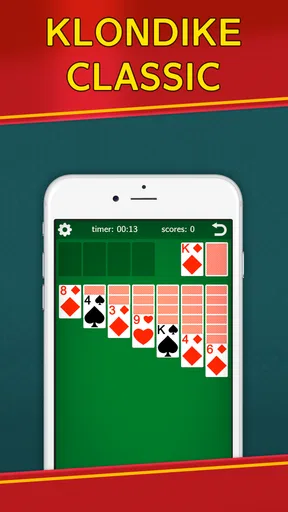
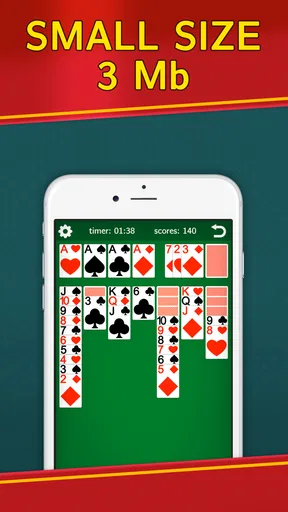
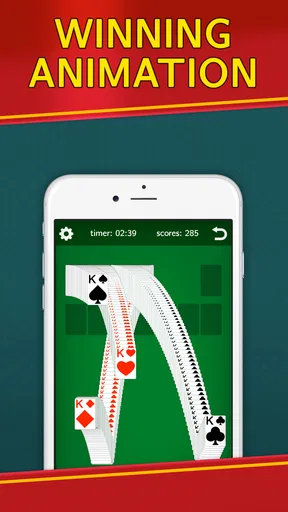
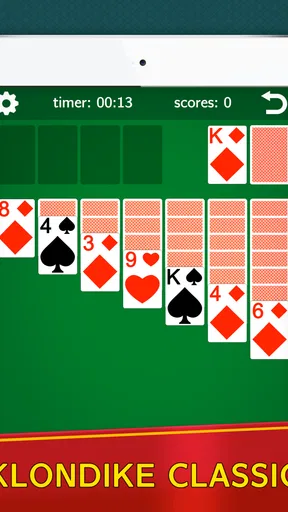
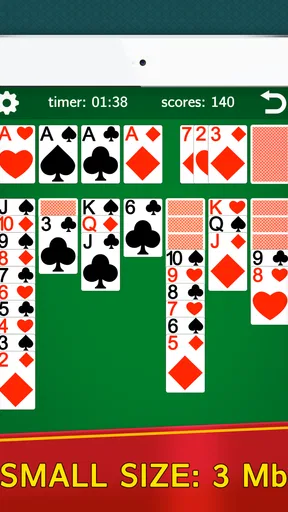
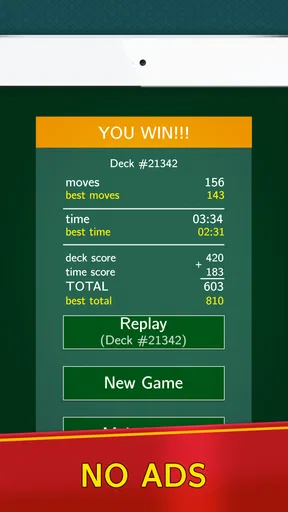
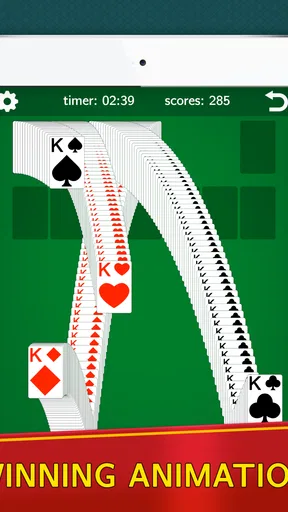
Our Review of Classic Solitaire Klondike
 Analysis by Appyee
I like Solitaire games most when they get out of the way and let me play. Classic Solitaire Klondike takes that approach seriously. It is a free card game from PotatoJam, built around the familiar Klondike rules rather than a large collection of distractions. After using it, I found its main appeal easy to understand: it is a small, straightforward way to play a traditional patience game, including when I do not want to depend on an internet connection.
That simplicity is also the reason some players may find it too limited. This is not the right choice if you want a broad card-game hub, a social experience, or a heavily decorated progression system. It is better suited to someone who wants to open a game, arrange cards, and stop thinking about the software itself. The app is free, rated for Everyone, and its current version is 2.410, so it feels aimed at accessibility rather than specialist players.
What using the game is really like
I found that the most useful way to judge this game is by the kind of pause it fits into: it asks for attention to the cards, but not much setup or commitment. I’ll focus on the small decisions that make a Klondike session smoother, then consider where that simplicity is a real benefit—and where a broader card game may suit you better.
The first points where players can get stuck
The rules of Klondike are familiar, but the first few hands can still create confusion if you mostly play from memory. The central tableau uses descending sequences with alternating colors, while the foundation piles are built by suit from the ace upward. Cards hidden in the tableau need to be uncovered, and the stock provides another source of playable cards. The challenge is not learning a complicated ruleset; it is recognizing which legal move is useful now and which move will leave the board awkward later.
One common mistake is moving a card simply because the move is available. For example, placing a red card on a black card may be legal, but it can also block access to a face-down card or consume the only useful space for another sequence. I found it more helpful to treat every move as part of a short plan: first look for a way to reveal a hidden card, then consider whether the move opens an empty tableau column, and only afterward worry about sending cards to the foundations.
Another sticking point is the stock. Players sometimes cycle through it too quickly, especially when a visible card looks attractive. Before taking it, I recommend checking whether it is the only card that can currently move a sequence or expose a needed rank. Klondike often rewards patience more than speed. A move that appears harmless can make the next pass through the stock much less useful.
The interface is intentionally restrained, which is good for concentration but means the game does not turn every decision into a tutorial moment. If you are new to solitaire, spend a few hands watching the structure of the board instead of trying to win immediately. Once the relationship between the tableau, stock, waste, and foundations becomes natural, the uncluttered presentation starts to feel like an advantage.
Checks worth making before blaming the game
Because the game is designed for offline play, the basic setup is refreshingly uncomplicated. I would install it while connected, open it once, and then test a hand before relying on it for a journey or a place with weak reception. That simple check confirms that the game opens correctly on your device and avoids discovering a problem only when you are already offline.
The listed minimum operating system is Android 5.0. If the game behaves oddly, the first practical step is to check whether the device meets that requirement and whether the installation completed properly. On an older phone, closing other demanding apps can also help keep card movement responsive. The game is known for a small footprint and performance-focused design, but an aging device can still slow down when storage is nearly full or many background processes are active.
I also suggest checking the screen before starting a serious session. On a compact display, card stacks can feel crowded, and an accidental tap may select or move a card you did not intend to touch. Holding the phone steadily and using deliberate taps makes a noticeable difference. If your device has an unusual display scaling setting, returning it to a comfortable standard size may make the tableau easier to read.
For offline use, do not confuse the absence of a connection with a fault. A game that does not need internet access should still be tested in airplane mode if that is how you plan to use it. Start a hand, make several moves, close and reopen the app, and confirm that the basic session remains comfortable. This is a sensible setup routine for a travel device, a spare phone, or a tablet used away from home.
There is also a useful distinction between installation and playability. If the app installs but a card does not respond, first close and reopen it rather than repeatedly tapping the same spot. If the whole device is sluggish, test another simple app. When everything on the phone is slow, the issue is more likely to be system pressure than the card table itself.
Recovering a hand without throwing away your progress
Klondike hands can feel lost before they actually are. When I reach a position with no obvious move, I stop making random exchanges and review the board from left to right. I look for newly available aces, twos, and face-down cards, then inspect the waste for a card that can change the tableau. This pause is more effective than repeatedly tapping cards and hoping the game reveals a solution.
If a move produces an unexpected result, retrace the last decision rather than restarting immediately. Think about whether a sequence was moved as a group, whether the destination card had the correct opposite color, and whether an empty column was used in a way that prevented a longer sequence from being placed later. The problem is often not a malfunction; it is a legal move with an inconvenient consequence.
A useful recovery habit is to preserve flexibility. Empty tableau columns are valuable because they can receive a king-led sequence, but opening one too early does not automatically improve the position. Before clearing a column, check whether you have a king or a meaningful sequence ready to occupy it. Otherwise, you may gain visual space while losing practical options.
The same principle applies to foundations. Moving cards upward usually feels like progress, but occasionally a card in the foundation would have been more useful in the tableau for building a sequence. I do not hold back every possible foundation move, yet I avoid treating automatic-looking progress as the only goal. The best choice depends on whether the move exposes something new or merely removes a card from a place where it could still help.
When I need a clean restart, I treat it as part of the game rather than a failure of the app. Solitaire is partly about reading a position and partly about accepting that an unhelpful opening can require another attempt. If the controls remain responsive and the cards move according to the rules, restarting a hand is usually a strategy decision, not troubleshooting.
When the app is not the cause
Some apparent problems come from expectations rather than software. A Klondike game is not guaranteed to provide a winning path in every deal, and a difficult board should not automatically be interpreted as a broken one. If several hands seem unusually hard, vary your approach before assuming the app is behaving incorrectly. Slow down, protect empty columns, and avoid spending the stock without checking the consequences.
Touch input can also create misleading symptoms. A finger covering part of the tableau may make it look as if a card has vanished, while a quick tap can select a card without completing the move you intended. I get better results by tapping the card or sequence once, waiting for the visual response, and then choosing the destination. On a small screen, rotating the device or changing how I hold it can be more useful than reinstalling.
Performance issues deserve the same careful separation. If only the game is unresponsive, reopening it is a reasonable first action. If menus, video, and other games are also struggling, free some storage, close background apps, and restart the device. Those steps address the environment around the game rather than pretending every slowdown is caused by PotatoJam’s card table.
It is also worth remembering what this app is not trying to be. Compared with larger solitaire alternatives, it does not present itself as a broad entertainment package filled with competing modes or elaborate visual rewards. That can feel refreshing when I want a quiet five-minute break, but it may disappoint players who expect daily challenges, social competition, extensive customization, or a long-term achievement chase. I would choose a richer alternative for those purposes.
Who will get the most from it
This game works particularly well for people who already know the basic Klondike pattern and want a dependable offline pastime. It is a good fit for a commute, a waiting room, or an evening when I want something interactive but not demanding. Since it is free and suitable for Everyone, it can also be a sensible choice for households looking for a simple card game without an intimidating presentation.
A realistic everyday use case is a train journey with unreliable reception. I can open the game before leaving, play a few hands without searching for a connection, and put the phone away whenever the trip becomes busy. The small-size approach matters here: a simple card game should not feel like a major commitment of storage or attention. That is where this title makes more sense than a feature-heavy solitaire collection.
Older Android users may also appreciate its modest requirements. The minimum Android version is 5.0, and the focus on performance gives it a practical role on devices that are not ideal for visually elaborate games. I would still judge the experience by the individual phone, especially if its touch screen is worn or its storage is close to full, but the target is clearly broader than the newest hardware.
On the other hand, I would steer away from it if your main reason for downloading solitaire is variety. Players who want Spider, FreeCell, themed decks, competitive rankings, or a strong reward loop should compare it with a multi-mode card app instead. This title’s strength is concentration on classic Klondike, and that same concentration limits its appeal for anyone who wants a larger package.
How it compares with familiar alternatives
Against a browser-based solitaire game, the biggest practical difference is independence from a connection. A browser can be convenient when you are already online, but an installed game is more reliable when reception is poor or you want to avoid keeping another tab open. Classic Solitaire Klondike also feels more focused than many web pages surrounded by unrelated content.
Compared with a large mobile solitaire collection, this game is easier to approach because there is less to sort through. A collection may offer more modes and presentation choices, but it can also bury the basic game under menus, prompts, and extra systems. I prefer the PotatoJam option when I know exactly what I want to play. I would choose the larger collection only when variety matters more than a clean, narrow experience.
It also differs from playing with physical cards. A real deck gives you complete control over dealing and lets you practice without a screen, but it requires a table and more space. The app is better for short sessions and travel. Physical cards are better when the tactile act of shuffling and dealing is part of the enjoyment. Neither replaces the other completely.
My practical verdict after using it
Classic Solitaire Klondike succeeds by keeping its promise narrow: it gives me a traditional card game that is free, lightweight in spirit, and suitable for offline sessions. PotatoJam has chosen restraint instead of turning Klondike into a busy platform. The result is easy to recommend to someone who wants familiar rules and quick access rather than a catalogue of extras.
The public response supports that broad appeal, with an average rating of 4.6 from around 28 thousand ratings and more than a million installs. Those figures do not make every hand enjoyable, but they match my impression that the app serves a clear audience well. It has also been available since September 30, 2017, giving it the feel of an established, straightforward option rather than a novelty.
My advice is to install it if you want a quiet card game for offline breaks and are comfortable with classic Klondike rules. Before a trip, open it once, test a hand without a connection, and make sure the screen responds comfortably. During play, protect your empty columns, review the stock before using it, and do not mistake a difficult deal for a technical error.
The best reason to choose this game is its focus: it makes Klondike easy to reach without asking you to manage a larger gaming system. The main reason to skip it is equally clear: if you need multiple solitaire variants, social features, or extensive customization, another card app will give you more. For everyone else, especially players who value a simple offline table, it is a practical recommendation.
Verdict
Strengths of Classic Solitaire Klondike
- Simple, familiar gameplay that is easy to learn
- Works well for short sessions or relaxed play
- Clear card layouts make moves easy to follow
- Suitable for players who prefer offline entertainment
- Multiple difficulty options can suit different skill levels
Limitations of Classic Solitaire Klondike
- Ads may interrupt play, especially between rounds
- Random deals can occasionally feel repetitive
- Undo features may be limited in some game modes
- Small cards can be difficult to read on compact screens
- Some features may require in-app purchases or premium access
Similar Picks in This Category
View All
Solitaire - Classic Card Games
MobilityWare4.6

UNO!™
Mattel163 Limited4.3

Spider Solitaire: Card Games
MobilityWare4.6

Solitaire.com - Classic Cards
Tripledot Studios Limited4.7

Plants vs. Zombies™ Heroes
ELECTRONIC ARTS4.1

Hearthstone
Blizzard Entertainment, Inc.4.1
Frequently Asked Questions
What is Classic Solitaire Klondike?
Classic Solitaire Klondike is a digital version of the traditional one-player card game also known as Patience. The goal is to arrange cards into four foundation piles, one for each suit, starting with the ace and continuing upward to the king. It is designed for casual play and can be enjoyed whenever you have a few spare minutes.
How do you play Classic Solitaire Klondike?
At the beginning of a round, cards are arranged in a tableau with several face-down and face-up piles, while the remaining cards form the stock. You move cards between tableau columns in descending order with alternating colors, uncover hidden cards, and place completed suit sequences in the foundations. The game ends when you win, become unable to make a move, or choose to start a new deal.
Does Classic Solitaire Klondike require an internet connection?
Most Classic Solitaire Klondike versions are designed to work offline, allowing you to play without Wi-Fi or mobile data after installation. This makes the game convenient for travel, commuting, or areas with limited connectivity. However, features such as advertisements, cloud synchronization, leaderboards, daily challenges, updates, or in-app purchases may require an internet connection depending on the specific app.
Is Classic Solitaire Klondike free to download and play?
Classic Solitaire Klondike is commonly available as a free download, but the exact business model depends on the version published for Android or iOS. Free editions may display advertisements, offer optional purchases, or reserve extras such as themes, statistics, hints, or ad removal for premium users. Check the store listing before downloading to review pricing and permissions.
What features should I look for before downloading it?
Before choosing a Classic Solitaire Klondike app, check whether it includes adjustable difficulty, unlimited undo, hints, automatic card movement, different scoring systems, daily challenges, statistics, and customizable card designs or backgrounds. It is also worth reviewing the advertisement frequency, offline support, accessibility options, device compatibility, and privacy policy, since these details vary considerably between developers.
Play our best games!


